Master Digital Safety with 50 Essential Security Icons
Visualizing the Invisible Threats Online
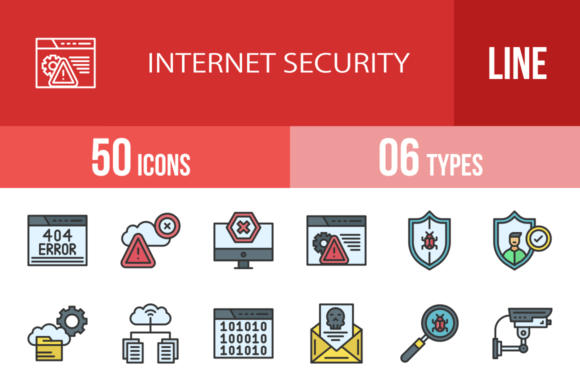
When you are building a digital product, whether it is a banking app, a corporate dashboard, or a marketing campaign for cybersecurity software, you face a unique challenge. You need to represent abstract concepts like "encryption," "malware," or "two-factor authentication" in a way that is instantly recognizable. Standard photography rarely captures these ideas effectively. Instead, the solution lies in high-quality graphic design assets. Specifically, a comprehensive set of 50 Internet Security Filled Line Icons provides the visual language necessary to bridge the gap between complex technical concepts and user understanding.
This specific collection is not just a random assortment of symbols. It is a curated library designed to address the most critical touchpoints in digital safety. From the moment a user logs in to the moment they back up their data, these icons serve as silent guides. The style—filled line art—strikes a perfect balance. It offers the solidity and quick recognition of filled shapes combined with the clean, modern aesthetic of line work. This dual nature makes them incredibly versatile, fitting seamlessly into both dark mode interfaces and light, minimalist websites.
The Anatomy of a Robust Security Icon Set
What makes a good icon set? It is not just about drawing a picture of a padlock. It is about consistency, scalability, and usability. This collection of 50 Internet Security Filled Line Icons has been designed using a unigrid system. For the non-designers reading, this means every icon sits on the same invisible grid, sharing the same optical weight and proportions. When you place the "Virus" icon next to the "Shield" icon, they look like they belong to the same family. This visual consistency is crucial for professional brand identity and editorial design.
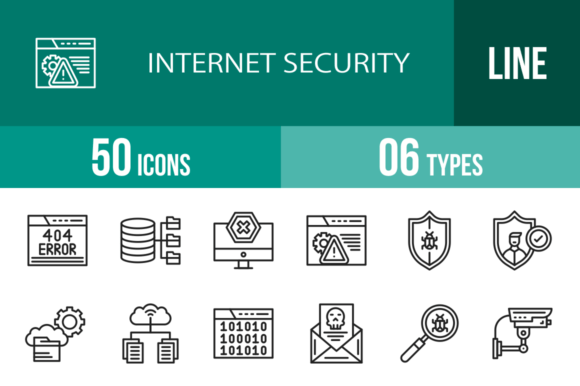
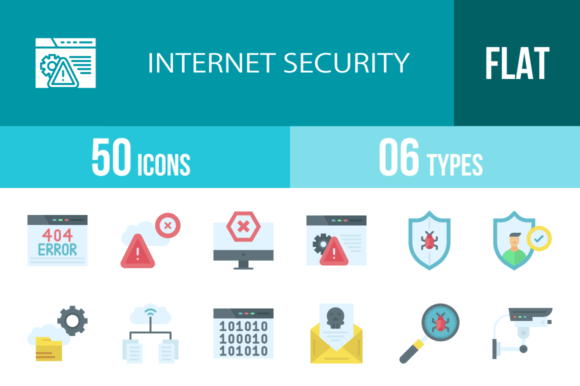
The variety included here covers the entire spectrum of online interactions. You are not limited to generic symbols. You have specific, actionable icons like 404 Error, Access Denied, and Ad Blocker. You also have sophisticated security measures represented by Face Scan, Fingerprint Scan, and Data Encryption. Even the more niche threats, such as Trojan, Spyware, and Phishing, are illustrated clearly. This depth allows you to create detailed infographics or intuitive user interfaces without having to commission custom artwork for every single feature.
Practical Applications for Modern Creators
As a creative professional, your toolkit defines your speed and quality. These icons are delivered in six different formats: AI, CDR, EPS, JPG, PNG, and SVG. This is not just a technical specification; it is a workflow solution. If you are a web designer, the SVG format ensures that the icons load fast and look crisp on any screen size, from a 4K monitor to a mobile phone. If you are working on packaging design or print materials, the vector formats (AI, EPS) allow you to scale the graphics to billboard size without losing a single pixel of quality.
Consider the entrepreneur launching a new VPN service. They need a logo design concept, a landing page, and a mobile app interface. Using this set, they can utilize the Secure Messaging and Secured Access icons to highlight features. They can use the Mobile Security icon for their app store listing. Because the icons are 100% vector, they can easily edit the colors to match their specific brand palette, ensuring a cohesive brand identity across all platforms. This level of customization is what separates amateur projects from professional web design.
Enhancing User Experience and Trust
In the digital world, trust is a currency. When users see a poorly designed "Secure Payment" icon, they hesitate to enter their credit card information. Conversely, a clean, professional icon set signals competence and safety. The 50 Internet Security Filled Line Icons are designed with "maximum usability" as a core principle. They strip away unnecessary details, focusing on the core meaning of the symbol. This aligns with modern typography and design trends that favor clarity over ornamentation.
For marketers and content creators, these icons are powerful tools for social media graphics. A blog post about "How to Spot a Phishing Scam" becomes much more engaging when paired with the Phishing icon. An infographic about "The Importance of Backups" is easier to digest when visual markers like the Backup and Backup Copy icons break up the text. These visual anchors improve readability and keep the audience engaged longer, which is a key metric for SEO and content performance.
Integrating Icons into Your Design System
Choosing the right design assets requires a strategic eye. When evaluating these icons for your project, look at how they interact with your chosen typeface. If you are using a geometric sans serif font, these clean, filled-line icons will likely complement the text perfectly. If your project relies on a traditional serif font, the modern style of the icons can provide an attractive contrast, adding a contemporary edge to a classic layout.
Do not be afraid to mix and match. You might use the Warning and Alert icons for error states in your UI, while using the Clean and Safety icons for success states. The inclusion of Root Directory and Binary Code icons makes this set particularly valuable for developer-focused documentation or B2B software applications. It shows a deep understanding of the subject matter, which builds authority with a technical audience.
A Toolkit for the Future
The internet is constantly evolving, and so are the threats we face. However, the foundational concepts of security—locks, shields, keys, and verification—remain constant. This collection of 50 Internet Security Filled Line Icons is a long-term investment in your creative library. Whether you are designing a presentation for a board meeting, building a template for a client, or simply illustrating a personal project, these assets are ready to use.
Ultimately, good design is about communication. When you use high-quality icons, you communicate that you care about the details. You tell your audience that you are organized, professional, and trustworthy. By incorporating these versatile, scalable, and thoughtful graphics into your workflow, you elevate the quality of your work and create a more secure, visually coherent experience for everyone who interacts with your brand.